 WorkPilot
WorkPilot
WorkPilot
At six o'clock, Jira wants to know what you did. WorkPilot already knows — it has been quietly recording your commits, branches, pull requests, meetings and tickets all day, and it writes the worklog for you.

Plan, standup, work, log — the app is laid out the way a working day runs, and the top of Today shows which step you're on. Everything it knows comes from the tools you already use: what you pushed, what you reviewed, which meetings you sat in, which tickets moved.
Pick tickets by hand or let AI suggest a day that fits your hours. Plan tomorrow at six o'clock and it's waiting on your list in the morning.
Yesterday, today and blockers under the real ticket titles, previewed exactly as Slack will show it. Build tomorrow's tonight and send it later.
A menu-bar timer that turns blue while you work, pauses when you lock the screen, and quick-log shortcuts that never pull you out of your editor.
Suggested hours per ticket, with comments from your own commits and notes. Nothing is written to Jira until you say so.
Commits, branches, pull requests, meetings and Jira activity, collected into a local database and shown as an hour-by-hour timeline.
"What was I doing last Tuesday?" Every answer is a list of things that were actually recorded, with the evidence attached.
Every number on these screens came from something that actually happened — a commit you pushed, a meeting you sat in, a ticket that moved. Sample data shown.
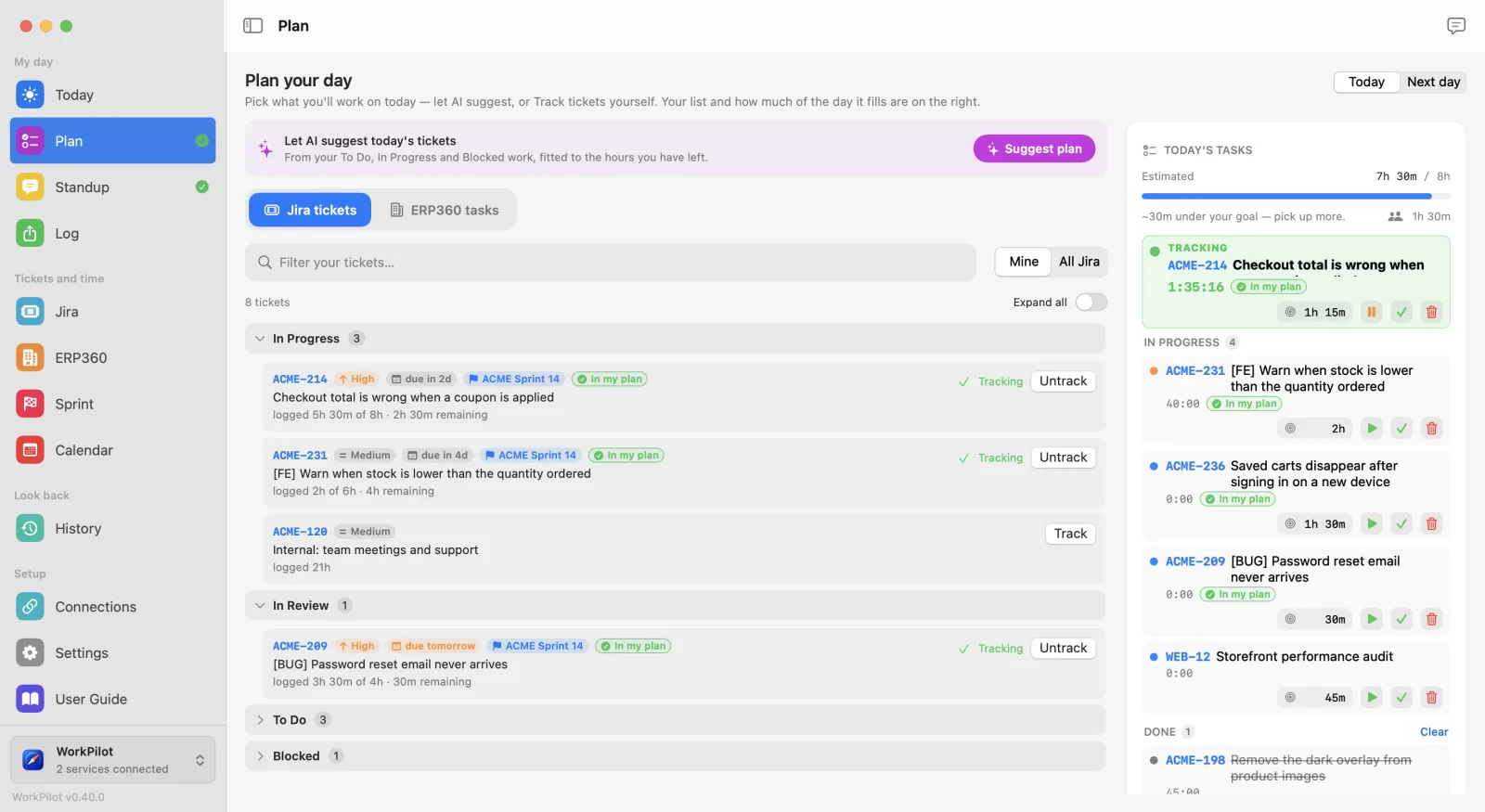
Pick from your tickets, or let AI suggest a day that fits. Switch to Next day and line up tomorrow — it stays off today's list until tomorrow comes.
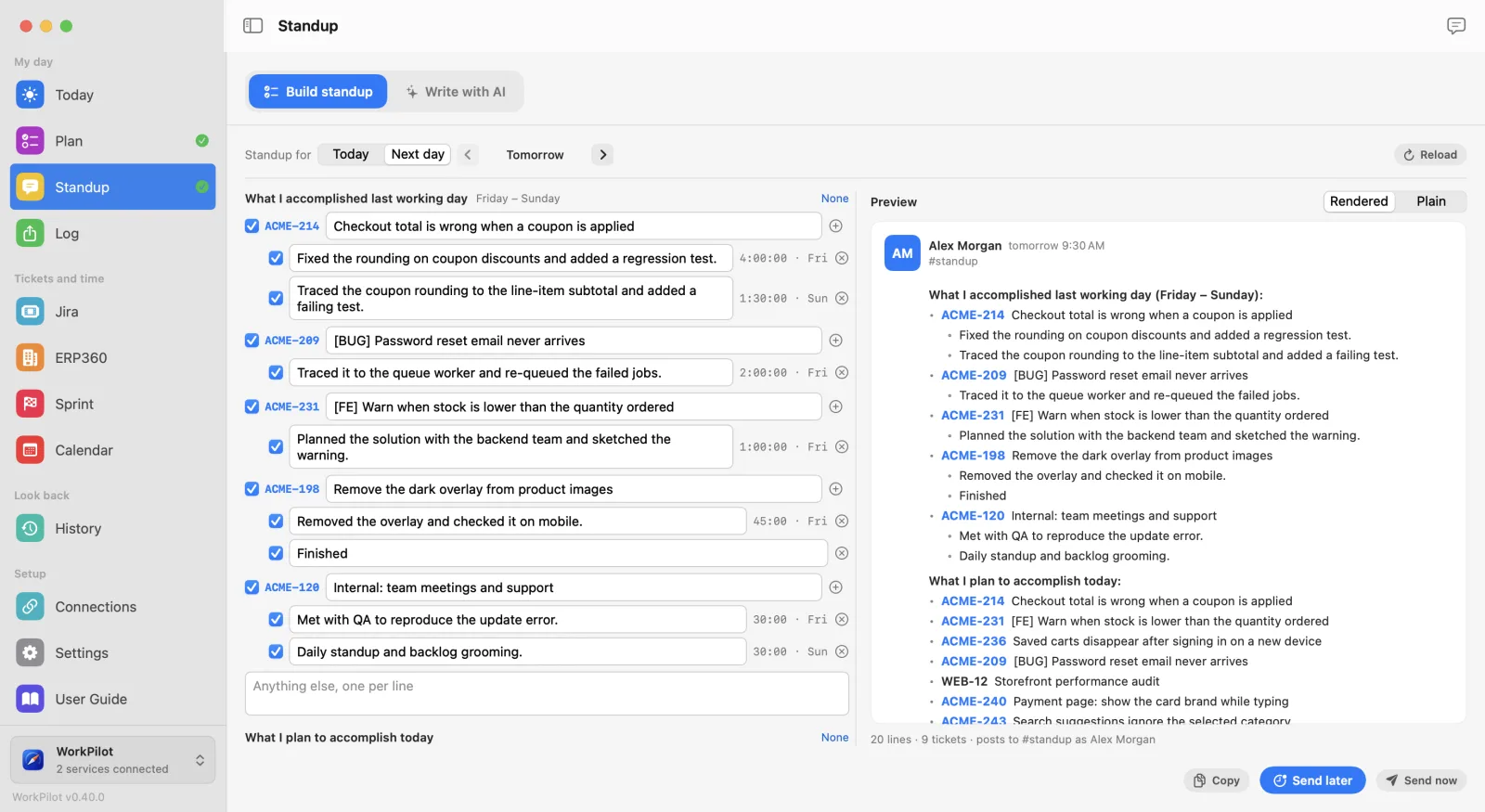
Built from what was logged and what's on your list, previewed exactly as Slack shows it. Edits survive a trip to another page, and Send later posts it in the morning.
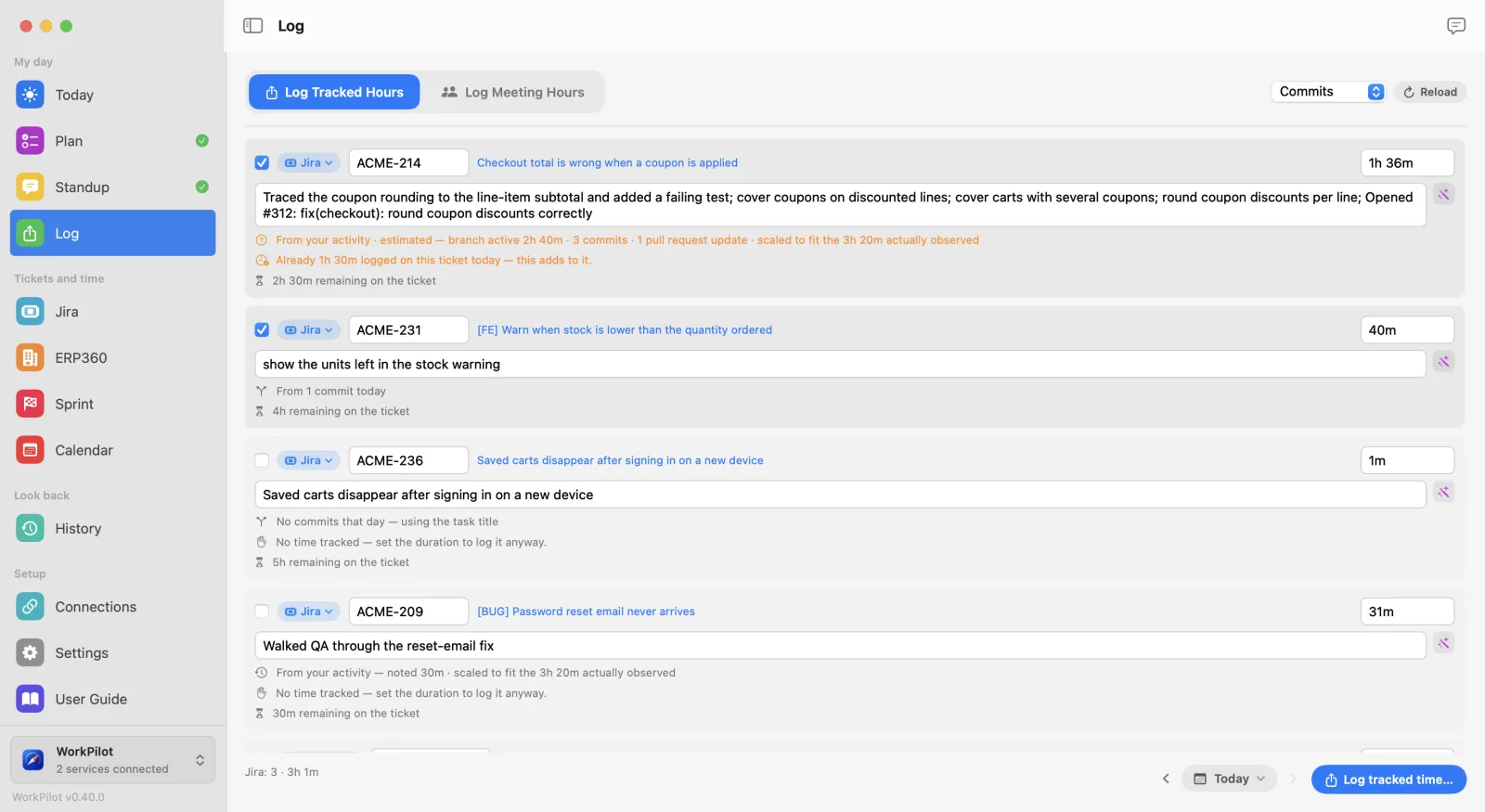
Every ticket's hours with a comment drafted from your commits and notes, routed to Jira or ERP360. Nothing is written until you confirm.
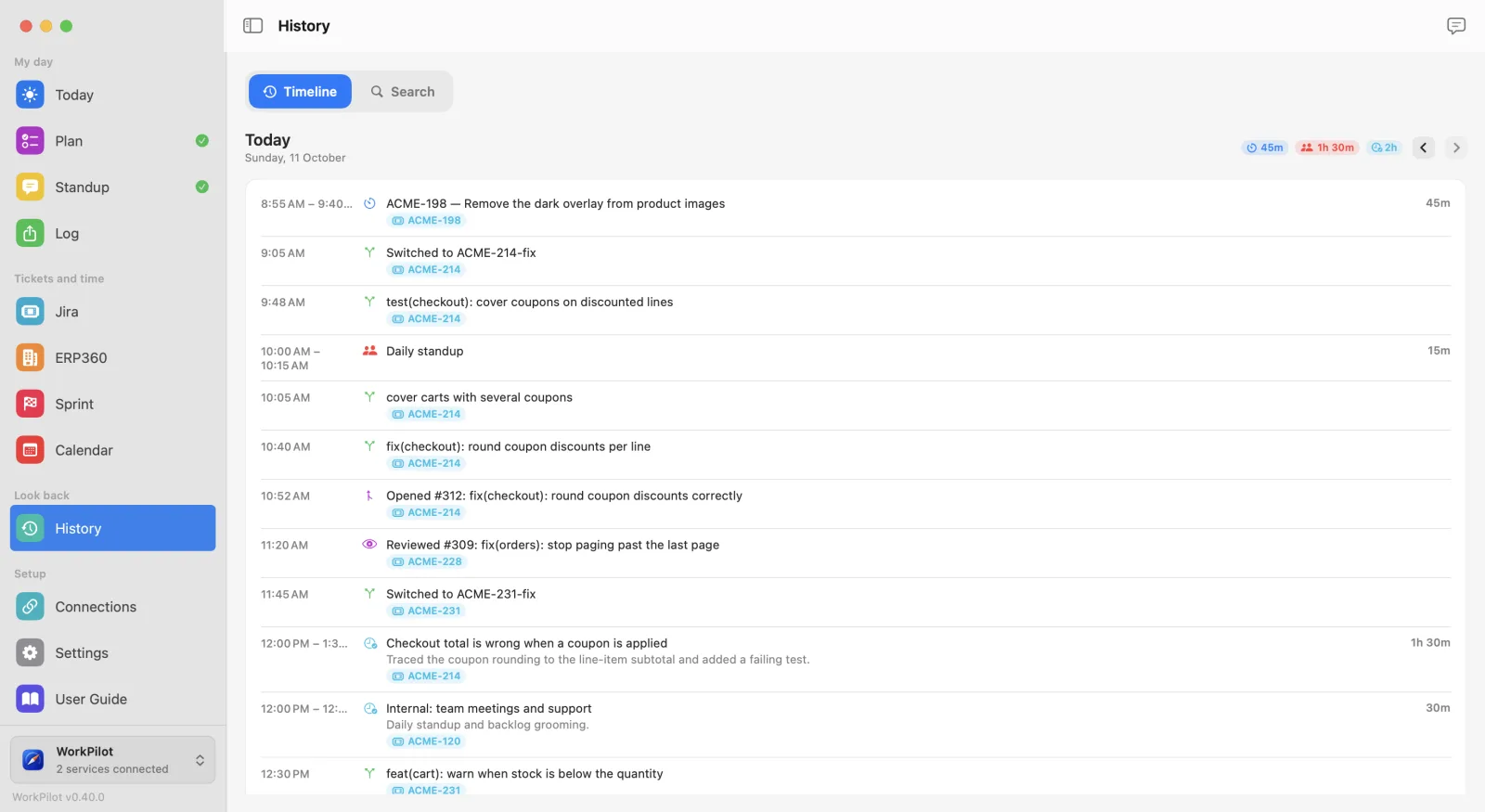
Every meeting, commit and pull request, kept in the order they happened. "What was I doing last Tuesday?" stops being a guess.
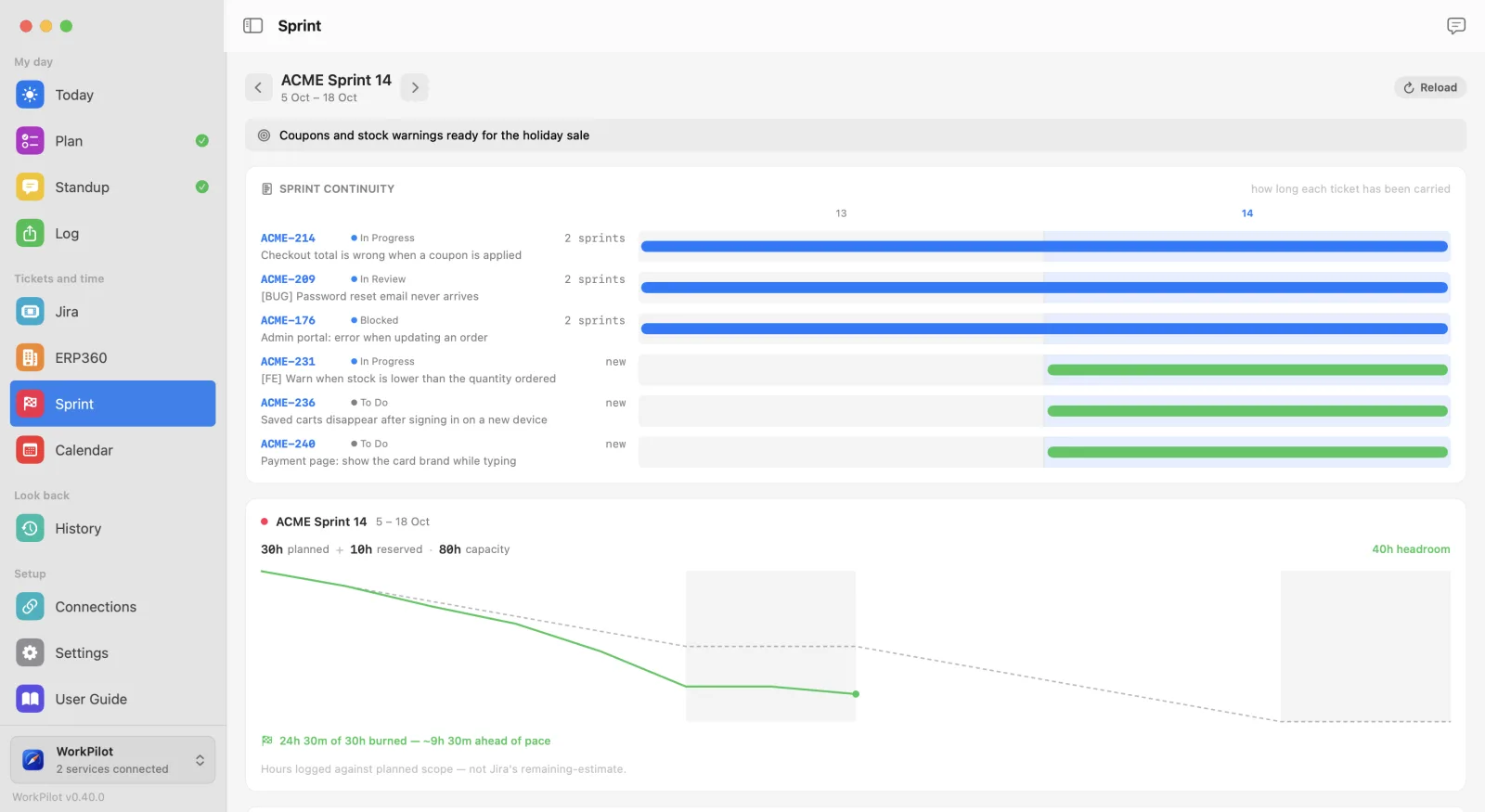
How many sprints each ticket has been carried, which ones are blocked, and whether the burndown is keeping pace.
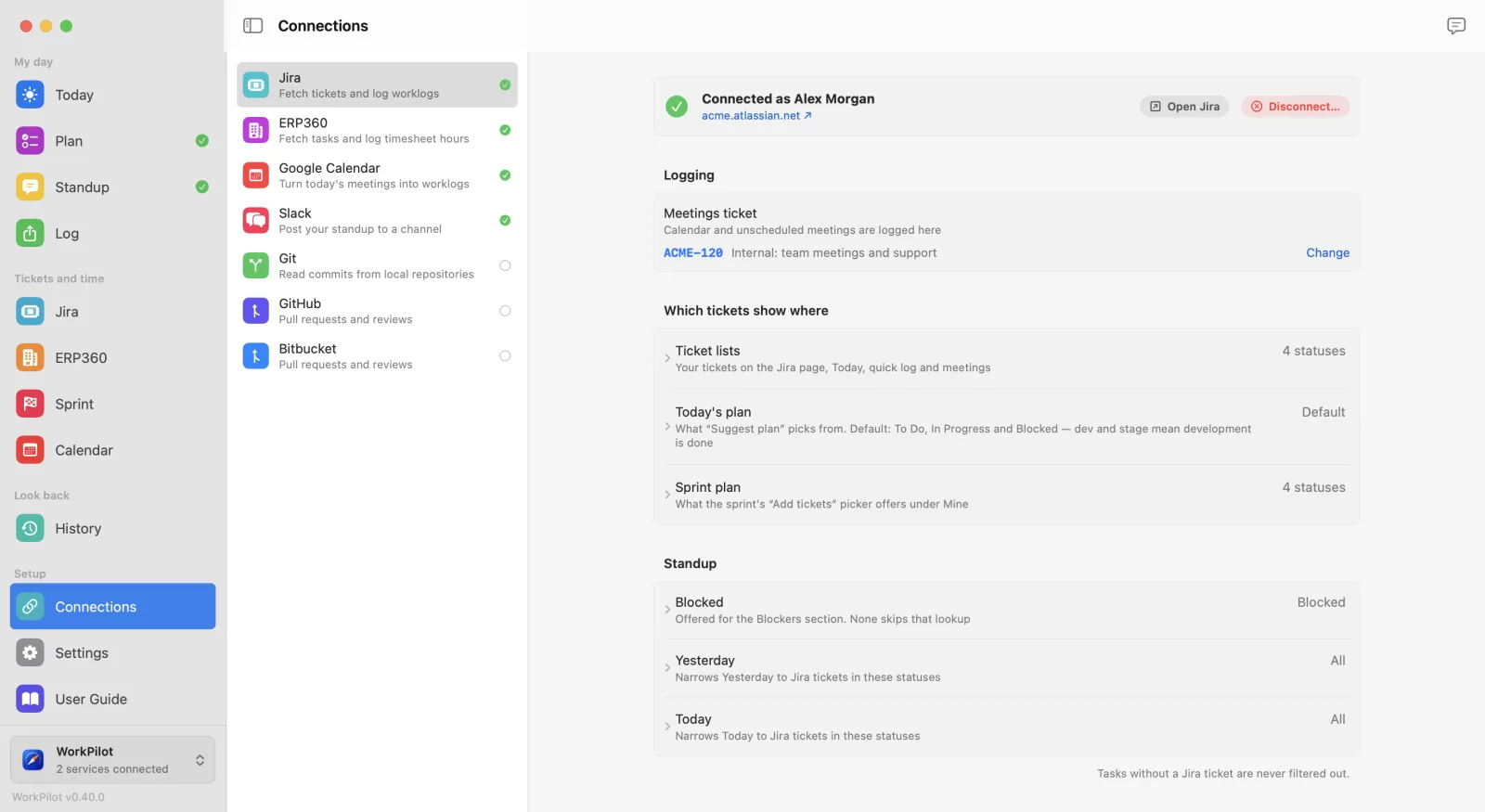
Each connection in one place, with one line saying what every setting changes — and nothing collected until you've agreed to it.
Copy any text, press ⌥⌘F, paste. It corrects spelling, grammar and word order without touching your facts. ⇧⌥⌘F also polishes the phrasing. It runs on Apple's on-device model, so it costs nothing, works offline, and your words never leave your Mac.

A rewrite that changes a number, a ticket key, a link, someone's name or anything in backticks is thrown away and your own text is kept — the app tells you why. A tool that quietly turns "3 hours" into "a few hours" in a message to your manager is worse than no tool at all.
Jira, ERP360, Slack, Git, GitHub, Bitbucket and Google Calendar each stand on their own. Give it one and it works with one. Every shortcut is yours to change or switch off.
There is no WorkPilot server and no account to create. The record of your work lives in a SQLite file in your Library folder, and nothing is uploaded anywhere.
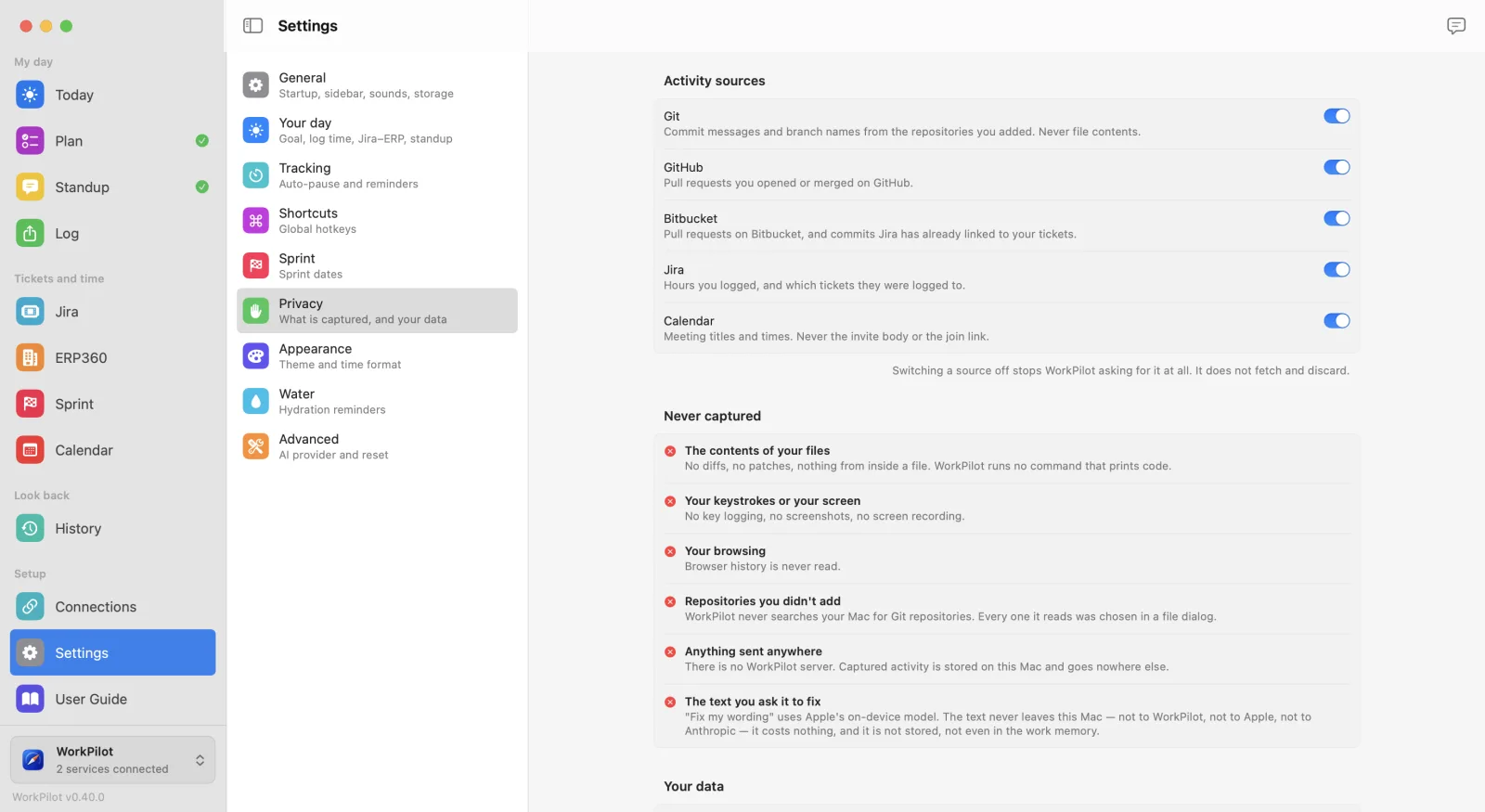
| Never captured | The contents of your files. No diffs, no patches, no code. No keystrokes, no screenshots, no browsing history. Repositories you didn't add yourself are never searched for. |
| Your call, per source | Git, GitHub, Bitbucket, Jira and Calendar each have their own switch, and nothing is collected until you've read what each one means and agreed. |
| Fixing wording | Runs entirely on Apple's on-device model. The text is not sent anywhere — not to WorkPilot, not to Apple, not to anyone — and is not stored. |
| AI features | Optional, and off unless you turn them on. They run through the Claude CLI on your own machine using your own subscription. There is no API key inside the app. |
WorkPilot is in beta and not yet signed with a paid Apple developer certificate, so macOS will warn you the first time. Here is the honest version of what to do.
Notarized builds are coming, and then the warning disappears. Updates after the first install are one click from inside the app.
| macOS | 13 (Ventura) or later. |
| Mac | Apple silicon. |
| Fix my wording | macOS 26 or later with Apple Intelligence switched on. Everything else works without it. |
| Jira | Jira Cloud, with an API token you create yourself. |
| Price | Free while in beta. |
WorkPilot is created and maintained by Eahea Ratan. These are the people who have worked on it.
 Eahea Ratan
 Raqibul Hasan Real
 Mehedi Sharif
 Kaisar Sarwar